Context: Modernizing a Mission-Critical Financial Workflow
A new bank deposit (transfer) workflow needed to be designed and implemented within the Driver and Vehicle Internal Solution—a large-scale, enterprise-grade platform currently undergoing modernization.
System Background
The Driver and Vehicle Internal Solution is part of the broader ServiceOntario application ecosystem. It is an internal, over-the-counter platform used exclusively by licensed ServiceOntario agents (“tills”) to process high-stakes citizen services such as identity verification and official document issuance.
👉 Large-scale, multi-team system with complex transactional workflows.
Problem Statement: Ensuring Reliable End-of-Day Financial Reconciliation
Service agents collect payments throughout the day. At closing, supervisors must reconcile and transfer all collected funds to the bank.
👉 A high-risk operation requiring accuracy, auditability, and ease of use
My Role: Owning a Core Segment of the Workflow
I was responsible for the end-to-end development of approximately one-third of the bank deposit flow, working within a distributed team model where other segments were owned by parallel teams.
👉 Focused on multi-step UX, validation logic, and integration readiness.
Execution Approach: From Requirements to Production-Ready Flow
Step 1: De-risking Through Requirement and UX Alignment
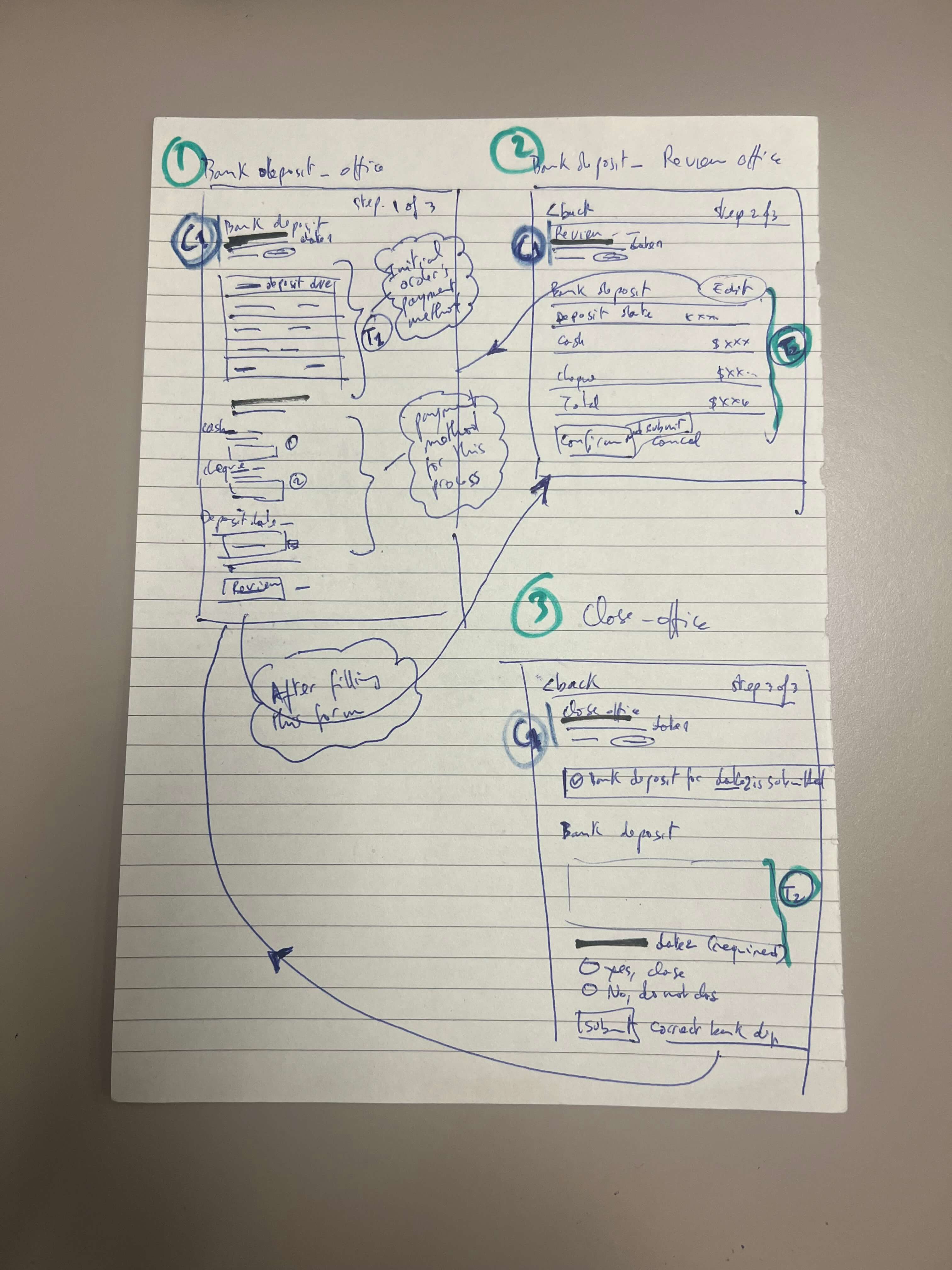
I began by cross-referencing user stories with Figma prototypes to build a complete understanding of the workflow—covering both business intent and interaction design.
To eliminate ambiguity early, I collaborated with the Lead UX Designer and Business Analyst to validate assumptions and clarify edge cases.
This upfront alignment allowed me to:
Refine the interaction model
Anticipate edge scenarios
Establish a clear development strategy before writing code
Step 2: Creating an Integration-Safe Development Environment
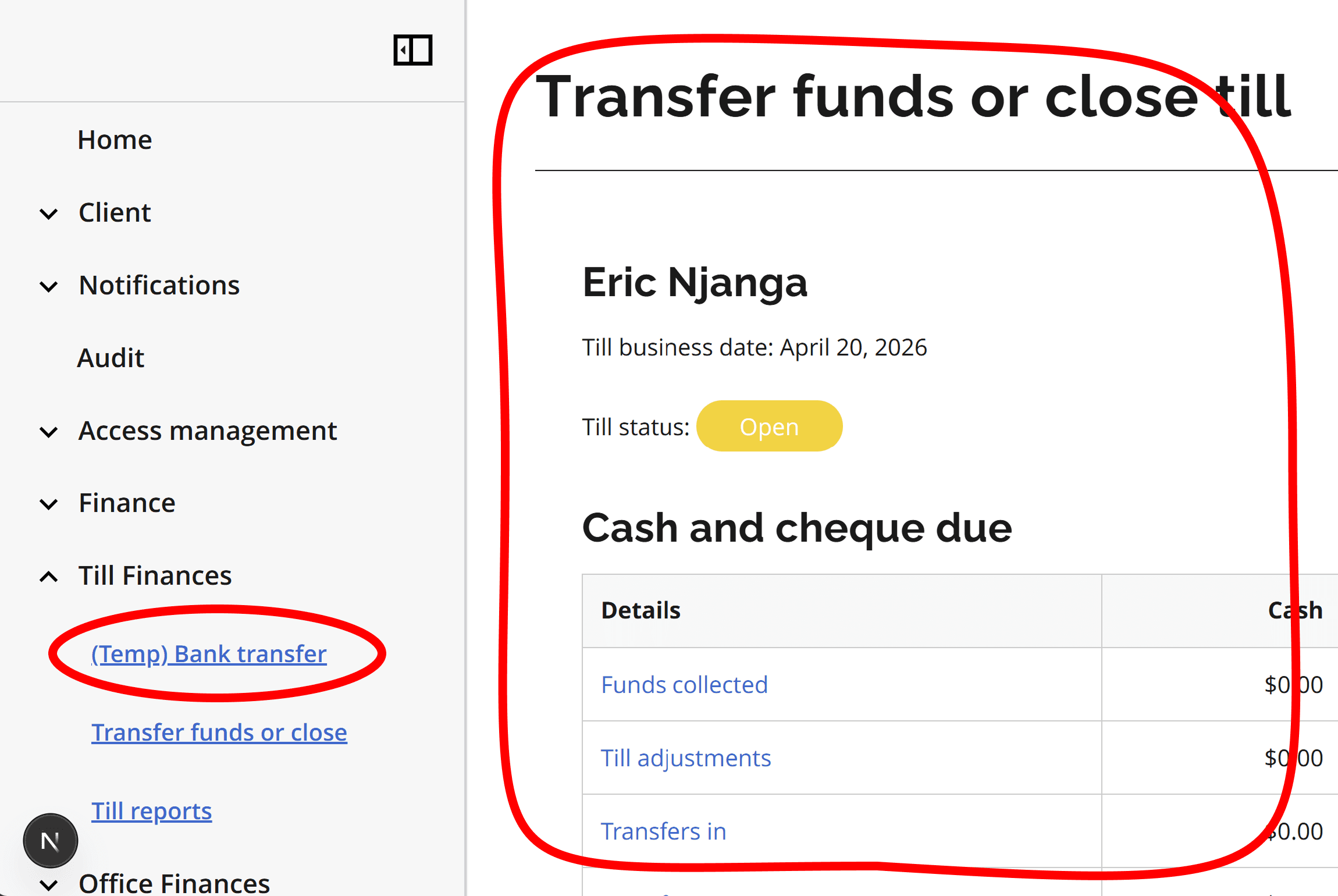
Since the parent feature and routing structure were still under development, I created a temporary, isolated development environment within the application.
This included:
A temporary route and navigation entry point
A page wrapper mirroring the parent container
This approach allowed me to:
Develop within real application constraints
Ensure layout and state compatibility
Minimize integration risk once the full feature was assembled
Step 3: Assembling the UI Skeleton (Structure Before Logic)
With requirements clarified, I focused on assembling the UI structure first, independent of business logic.
I:
Composed the page using existing design system components
Prioritized layout accuracy and flow continuity
Deferred business rules to a later phase
This allowed me to quickly establish a visual and structural baseline for the multi-step workflow.
Styling inconsistencies were expected at this stage and intentionally deprioritized in favor of structural completeness.
▶ Watch walkthrough — Initial multi-step flow with mocked data (structure-first implementation)
Step 4: Incremental Logic Implementation
Given the complexity of the workflow, I adopted an incremental logic strategy—starting with simple rules and progressively introducing more advanced behaviors.
Initial implementation focused on:
Conditional rendering of call-to-action buttons to validate step navigation
Enhancing data tables to support dynamic content and lightweight calculations
Throughout this phase, I continuously referenced user stories to ensure full business rule coverage while iteratively improving the logic.
The objective was to maintain a balance between functional correctness and progressive complexity management.
▶ Watch walkthrough — Intelligent Variance Detection and Conditional Exception Handling
Challenge: Adapting to Evolving Business Rules
A key requirement shift occurred during development.
Initially, the workflow required users to manually input the USD exchange rate. This approach was later revised:
The system would fetch the daily exchange rate via API
Manual input would only be required as a fallback mechanism in case of API failure
To accommodate this change, I:
Refactored the form to support conditional data sourcing
Introduced a fallback UX pattern (modal interaction)
Ensured minimal disruption to the existing flow structure
This demonstrated the importance of building flexible, adaptable UI architectures in evolving enterprise environments.
▶ Watch walkthrough — Adapting to requirement changes: API-driven exchange rate with fallback UX
Fixing Small Visual Discrepancies with Design Prototypes
In enterprise application development, implementing business rules and workflow logic always takes precedence over pixel-perfect styling. Once the core functionality is stable, I perform a final UI refinement pass to eliminate visual discrepancies and bring the implementation into close alignment with the approved Figma prototypes.
▶ Watch walkthrough — Final UI Refinement: Aligning the Bank Deposit Flow with Figma Prototypes
Leveraging AI for Accelerated Development (GitHub Copilot)
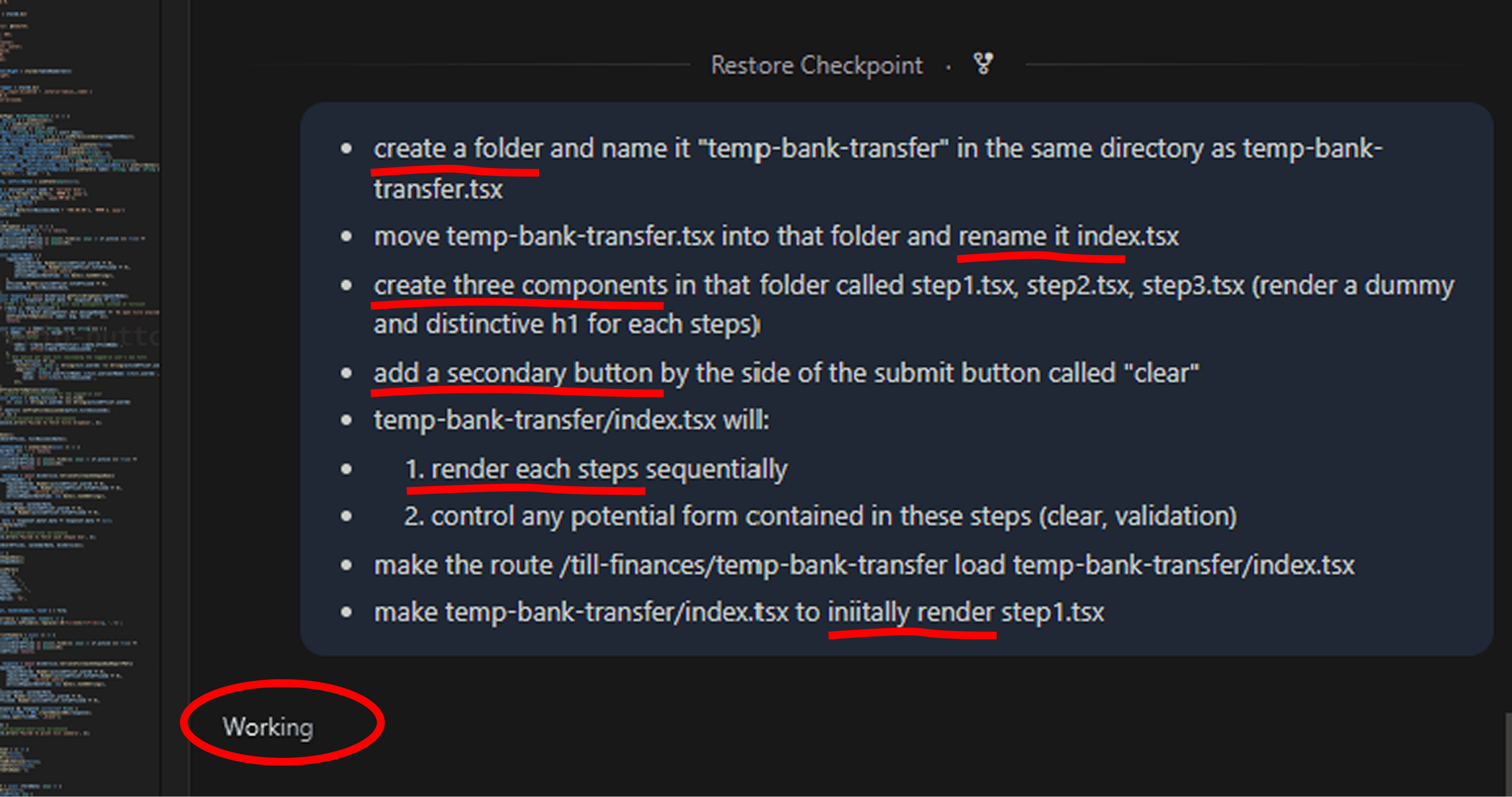
To maximize efficiency, I focused on architecture, decision-making, and problem decomposition, while delegating repetitive and boilerplate-heavy tasks to AI.
Using GitHub Copilot, I accelerated development in areas such as:
Generating composite components and reusable structures
Scaffolding temporary routes and resolving permission constraints
Implementing step-based navigation logic
Discovering and integrating existing components from the codebase
Facilitating state management across steps (e.g., Zustand)
Assisting with styling, refactoring, and optimization
This workflow allowed me to maintain a strong focus on:
System design
UX correctness
Business rule implementation
How It Works (Deep Dive)
This section is optional for readers who want a deeper understanding of the system, constraints, and implementation approach.
System Scale and Constraints
The Driver and Vehicle Internal Solution system operates at significant scale:
Used daily by thousands of agents across the province
Supports complex, multi-step transactional workflows
Maintained and modernized by multiple cross-functional teams (hundreds of contributors)
The modernization effort introduces new UI patterns, architectural standards, and integration constraints, requiring careful alignment across teams.
Financial Reconciliation Challenges
The End-of-Day Financial Reconciliation introduces several challenges:
Accuracy: Ensuring all transactions are accounted for
Usability: Supporting non-technical users in high-pressure, end-of-day scenarios
Traceability: Maintaining audit-friendly records of financial transfers
Scalability: Supporting high transaction volumes across distributed locations
The goal was to deliver a guided, error-resistant multi-step workflow that standardizes and simplifies this critical operation.
My Responsibilities
My responsibilities included:
Translating Figma prototypes and user stories into production-ready UI components
Designing state-driven multi-step interactions (form orchestration, validation, navigation logic)
Ensuring consistency with the design system and accessibility standards (WCAG compliance)
Collaborating with adjacent teams to prevent functional overlap and ensure seamless integration