Render-blocking resources—primarily stylesheets—must be downloaded, parsed, and applied before the browser can paint meaningful content. When these assets are oversized or loaded unnecessarily, they delay Core Web Vitals such as Largest Contentful Paint (LCP) and First Contentful Paint (FCP), negatively impacting user experience, SEO rankings, Google Ads Quality Score, and ultimately business performance.
Reality Check: My Own Application Needed Optimization
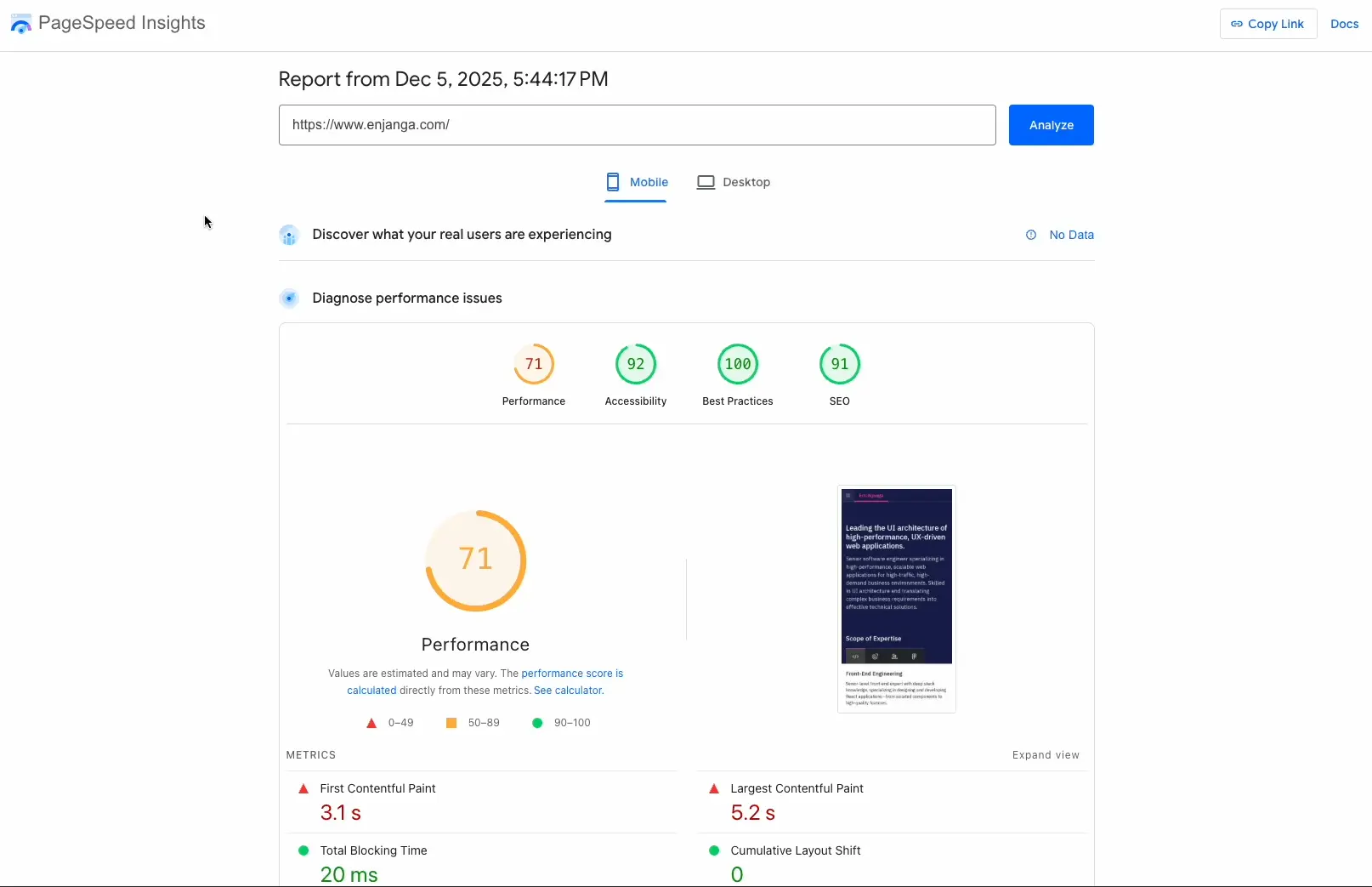
After auditing my 2025 portfolio with Google PageSpeed Insights, the results revealed significant performance bottlenecks:
71 Performance Score
5.2s Largest Contentful Paint — meaningful content appeared too late
3.1s First Contentful Paint — delayed initial rendering and reduced engagement
Root cause: Six render-blocking stylesheets.
The Problem: Oversized CSS Bundles and Eager Component Loading
A deeper analysis of the Next.js codebase exposed two architectural issues:
Stylesheet bundles were unnecessarily large and contained duplicated third-party CSS.
Below-the-fold components were loaded eagerly, forcing their CSS into the critical rendering path.
Together, these issues significantly increased LCP and FCP.
The Solution: Reducing CSS Weight and Leveraging Next.js Performance Features
To eliminate render-blocking CSS and improve initial render performance, I implemented four targeted optimizations:
Dynamic component imports
CSS bundle reduction
Granular stylesheet imports
Native font optimization with Next.js
1) Deferring Non-Critical Components with Dynamic Imports
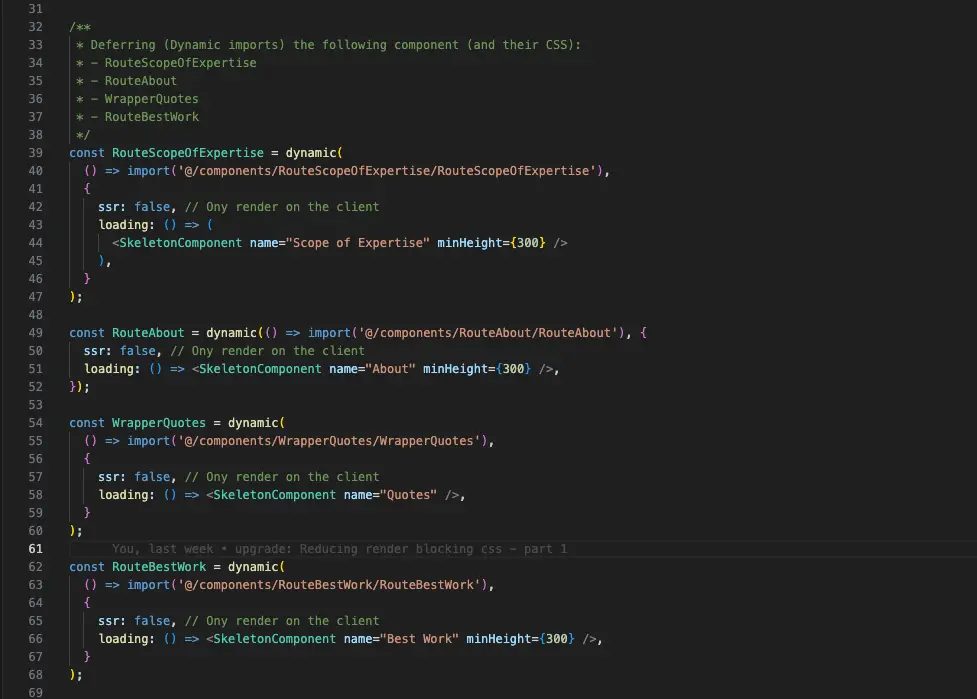
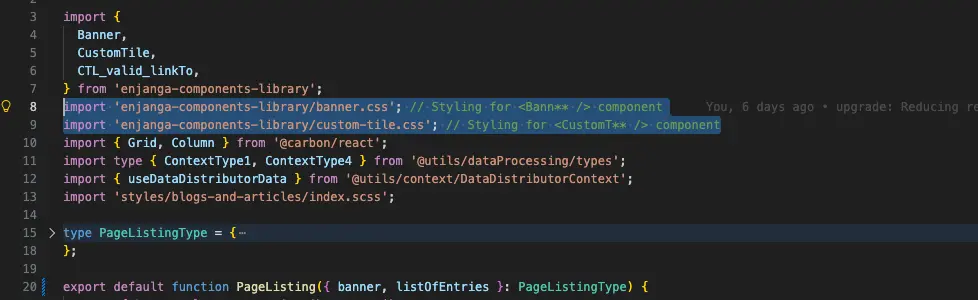
Components that imported large stylesheets were converted to dynamically loaded modules. This removed their CSS from the critical rendering path and deferred loading until after the above-the-fold content was displayed.
In Next.js, CSS imported by route components is automatically considered render-blocking. Dynamic imports defer both JavaScript and associated styles.
2) Reducing Stylesheet Bundle Size
Approximately 90% of the CSS payload originated from my custom component library and its dependency management strategy.
I discovered that IBM Carbon Design System styles were being bundled repeatedly across multiple components, causing substantial duplication.
Eliminating this redundancy reduced the CSS payload by more than 50%.
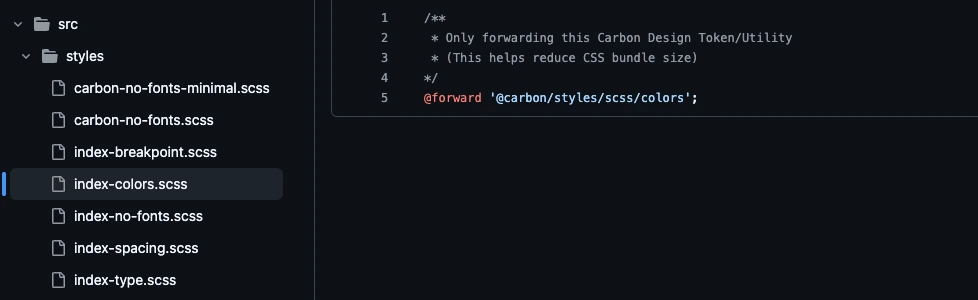
3) Importing Stylesheets À La Carte
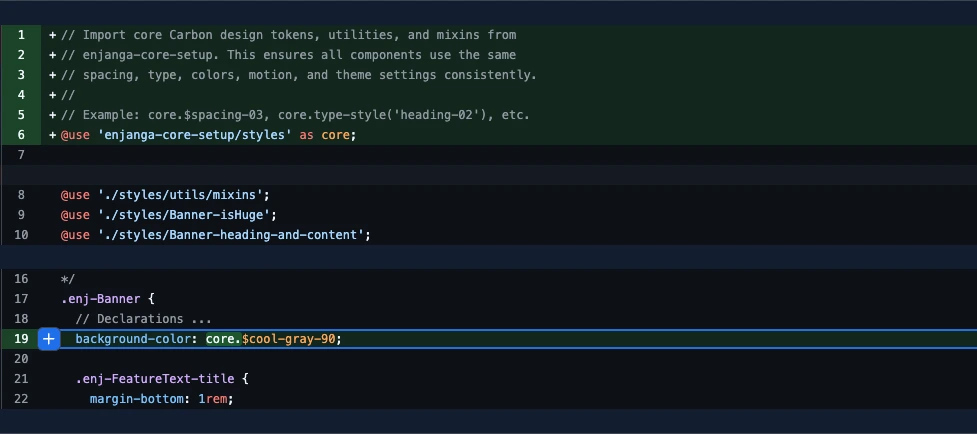
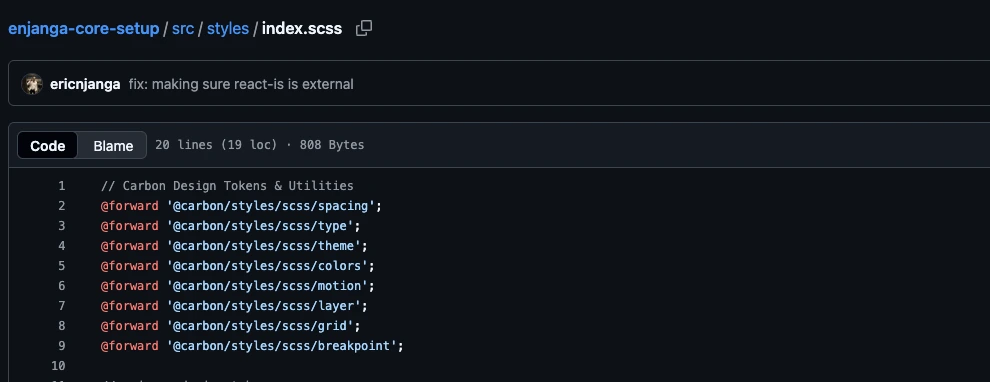
I refactored my unified dependency management architecture and component library to expose:
Individual Carbon utilities without embedded fonts
Component-specific CSS files
Fine-grained design tokens and helpers
This enabled route-level imports of only the styles actually required.

4) Leveraging Native Font Optimization in Next.js
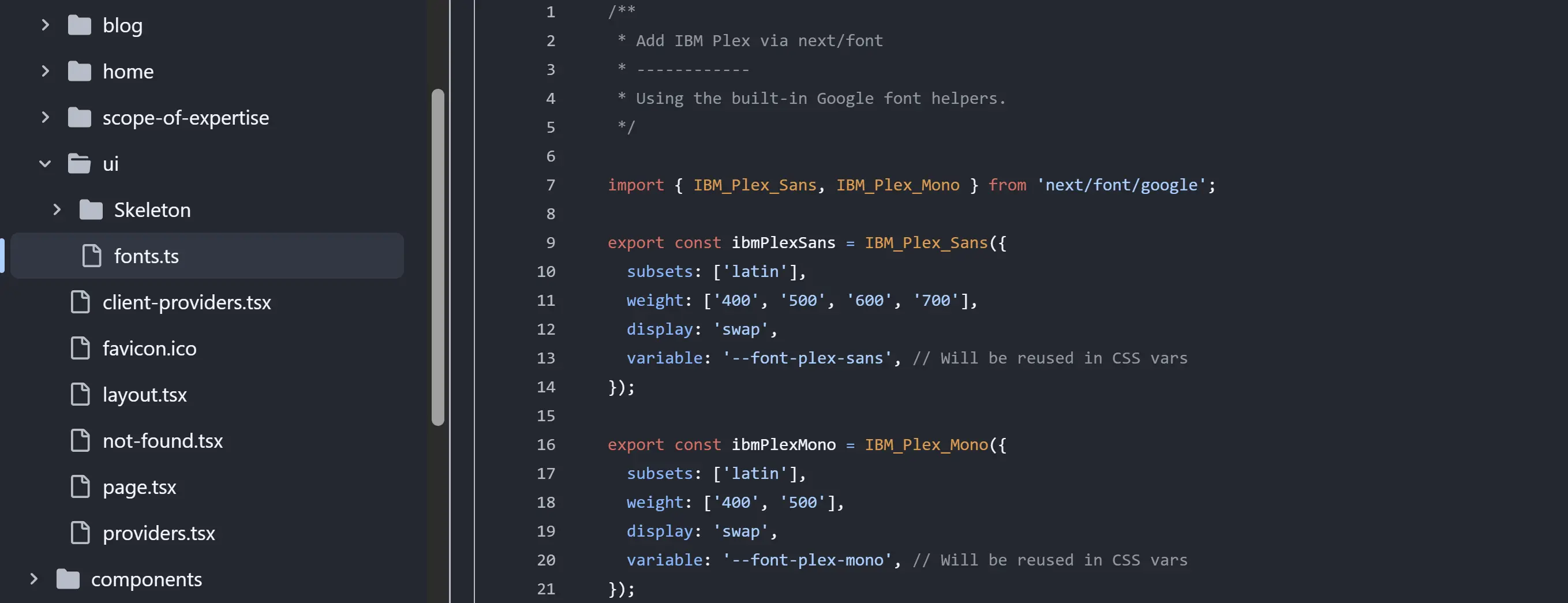
Fonts were removed from CSS bundles and delegated to Next.js’s built-in font optimization.
Next.js now handles:
Automatic preloading
Subsetting
Compression
Non-blocking delivery
This further reduced critical CSS size and improved LCP.
Results: Dramatic Improvements in Core Web Vitals
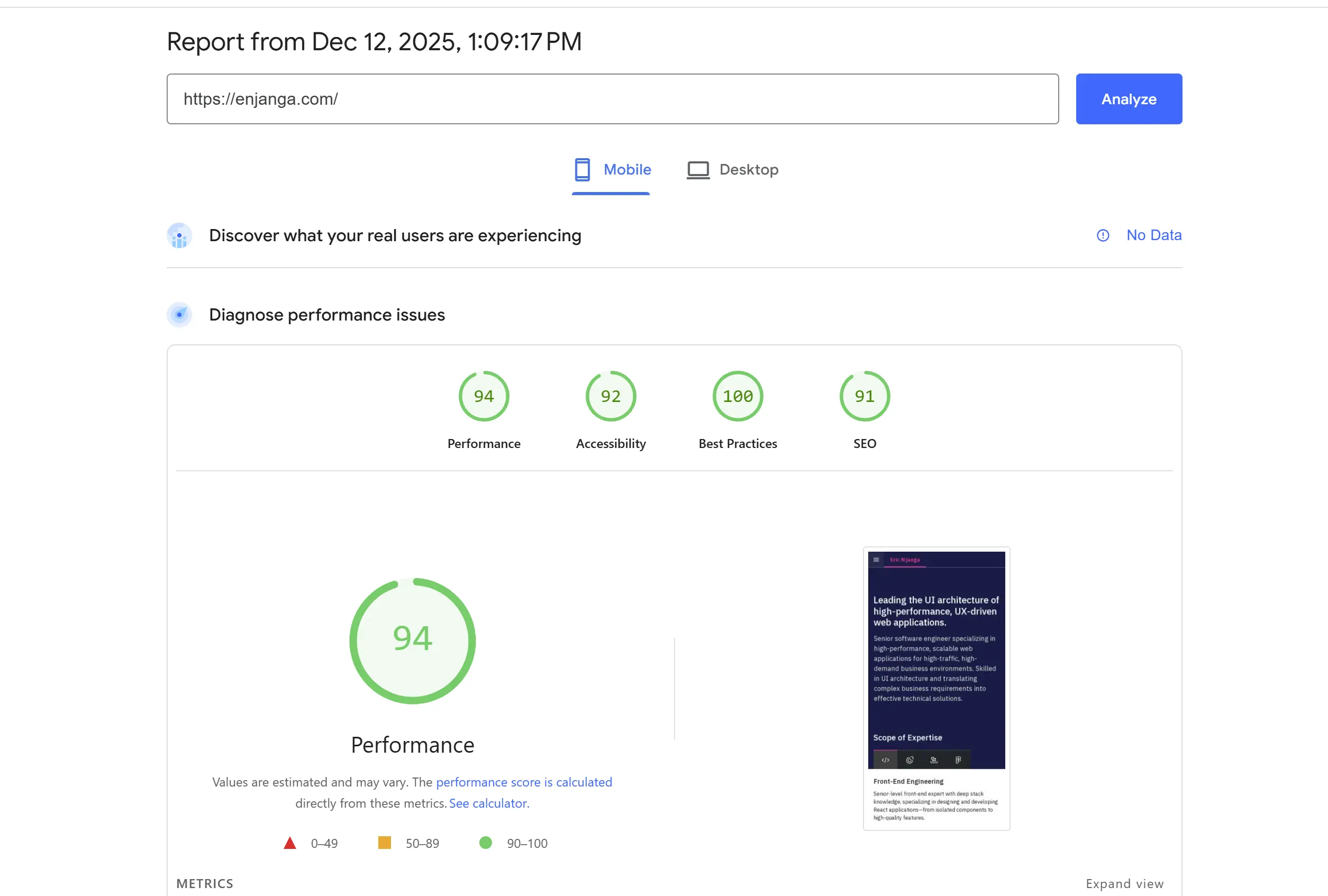
After deploying these optimizations, the performance audit showed substantial gains:
94 Performance Score
3.0s Largest Contentful Paint
1.7s First Contentful Paint
Render-blocking CSS was reduced by 35%, resulting in a significantly faster and more responsive user experience.
Why This Matters to Businesses
Performance optimization delivers measurable business outcomes:
Faster websites consistently increase conversion rates
Improved Core Web Vitals strengthen SEO visibility
Faster landing pages improve Google Ads Quality Score
Lower bounce rates increase user engagement
Smaller payloads reduce infrastructure and bandwidth costs
Better performance enhances perceived quality and brand trust
For organizations scaling digital products, even modest reductions in LCP can translate into significant gains in traffic, conversions, and customer satisfaction.
The Type of Performance Work I Deliver
I help organizations diagnose and resolve front-end performance bottlenecks in React and Next.js applications, including:
Bloated CSS architectures
Inefficient bundling strategies
Render-blocking assets
Poor Core Web Vitals
Design system scaling issues
If your application is underperforming, I can identify the highest-impact optimization opportunities and implement solutions that deliver measurable business value.
Key Takeaway
Performance issues rarely stem from a single mistake. They are usually the cumulative result of architectural decisions related to CSS bundling, dependency management, component composition, and asset delivery.
The Good News
With a systematic approach and modern framework capabilities, you can dramatically improve performance without rewriting your application.
For teams preparing for a redesign, scaling a platform, or working to meet Core Web Vitals thresholds, addressing these issues early reduces technical debt and directly supports business growth.