Because the IBM Carbon Design System is engineered to align with WCAG 2.2 AA requirements, most foundational accessibility patterns are already built into the components. This allowed me to focus on identifying and remediating implementation-level issues introduced during customization and integration.
Accessibility Tools That Accelerated the Audit
Chrome Lighthouse (Desktop Audits)
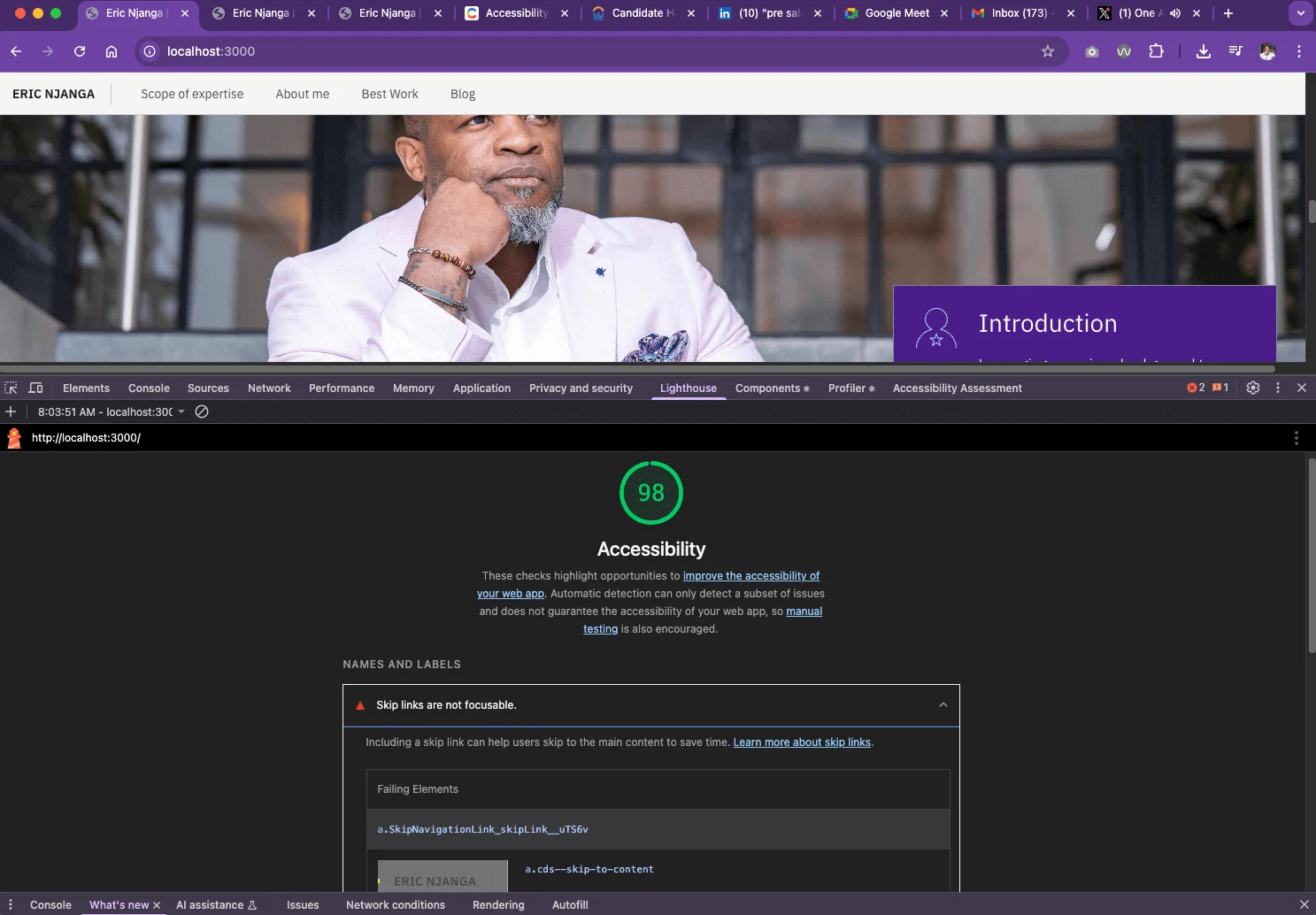
Google Lighthouse is my primary tool for performing automated accessibility audits. Integrated directly into Chrome DevTools, it surfaces violations and provides actionable remediation guidance.
For example, Lighthouse detected a non-functional skip link because the anchor target was not properly associated with the page’s <main> landmark.
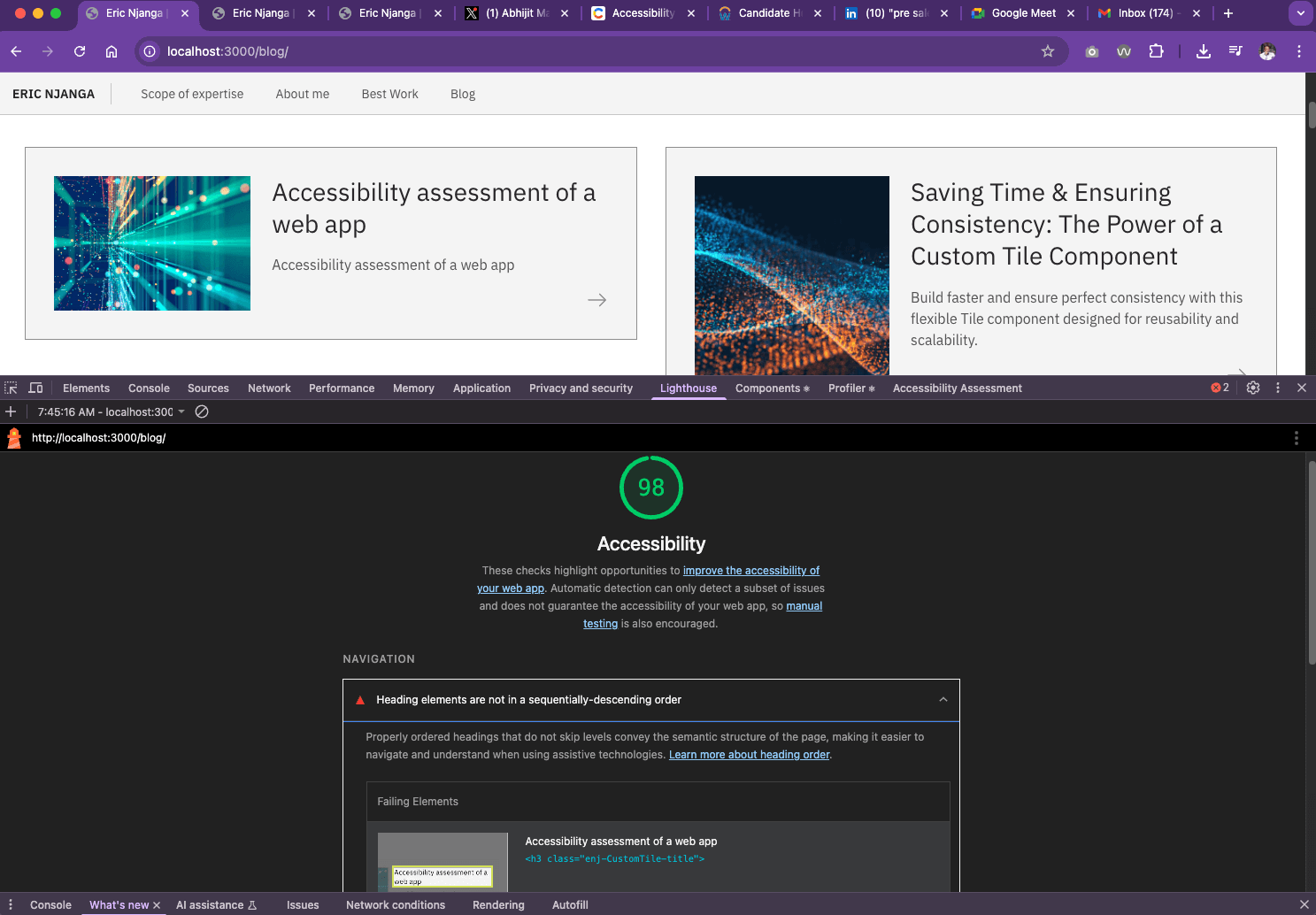
It also flagged a heading hierarchy issue in my case study cards, where heading levels were rendered out of sequence and disrupted the semantic document outline. .
Chrome Lighthouse (Mobile Audits)
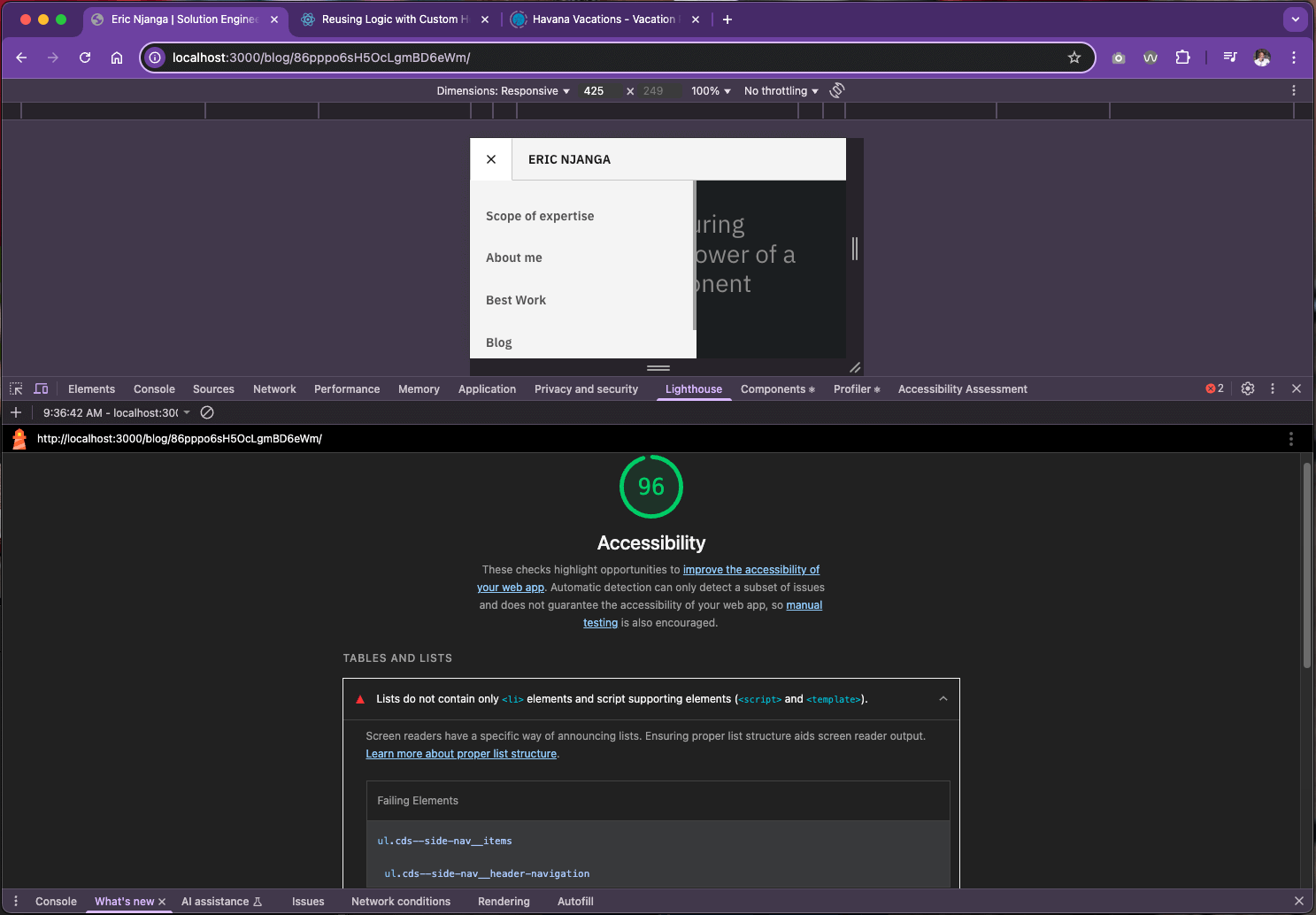
Running Lighthouse against mobile viewports uncovered additional structural issues specific to responsive navigation.
In one instance, the sidebar menu contained nested <ul> elements that were not wrapped in corresponding <li> elements, creating invalid list semantics.
WAVE Browser Extension
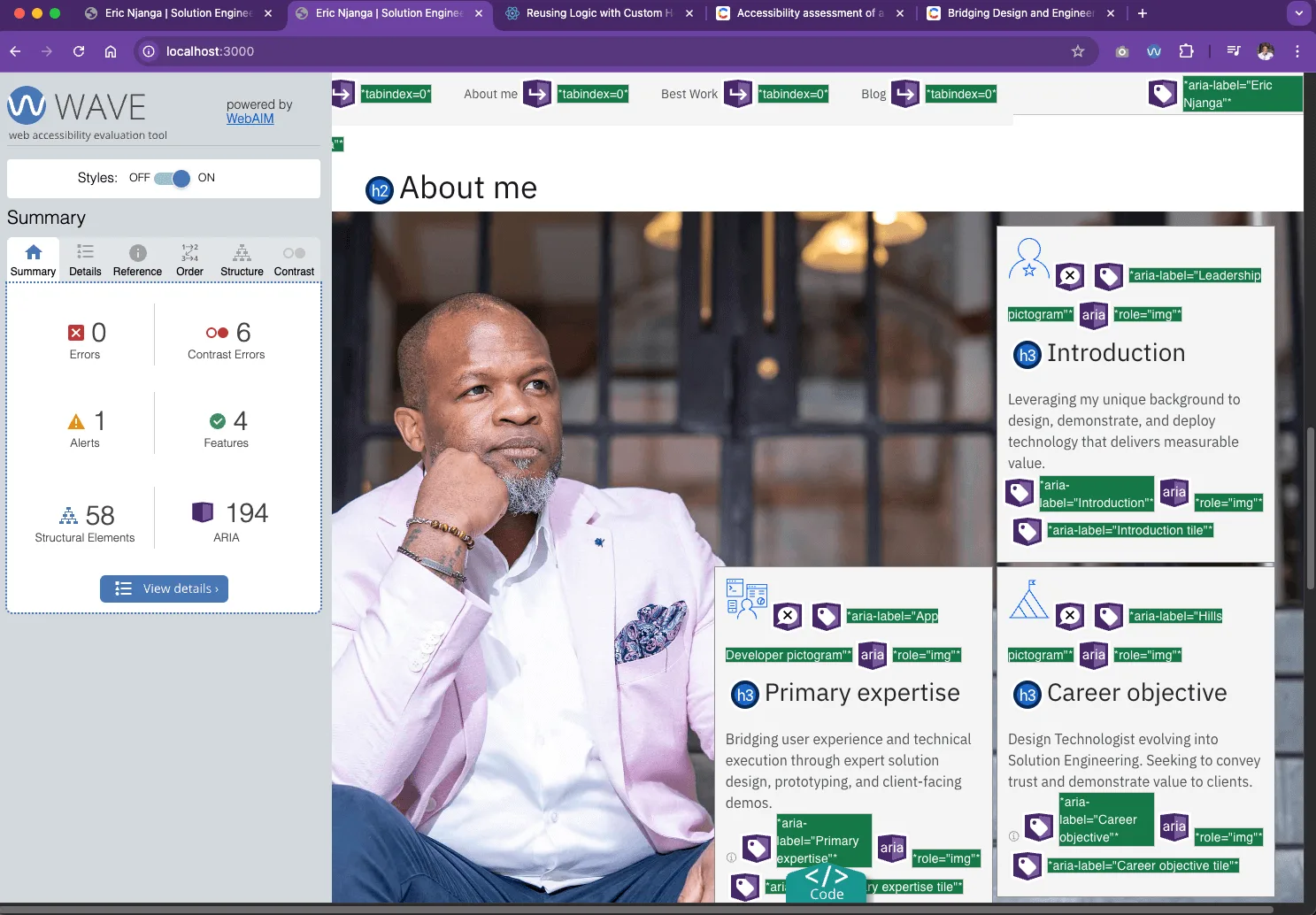
WAVE Web Accessibility Evaluation Tool complements Lighthouse by overlaying visual annotations directly on the interface.
This makes it easier to identify ARIA misuse, color contrast failures, missing labels, and semantic structure issues in context.
Validating Components in Isolation with Storybook
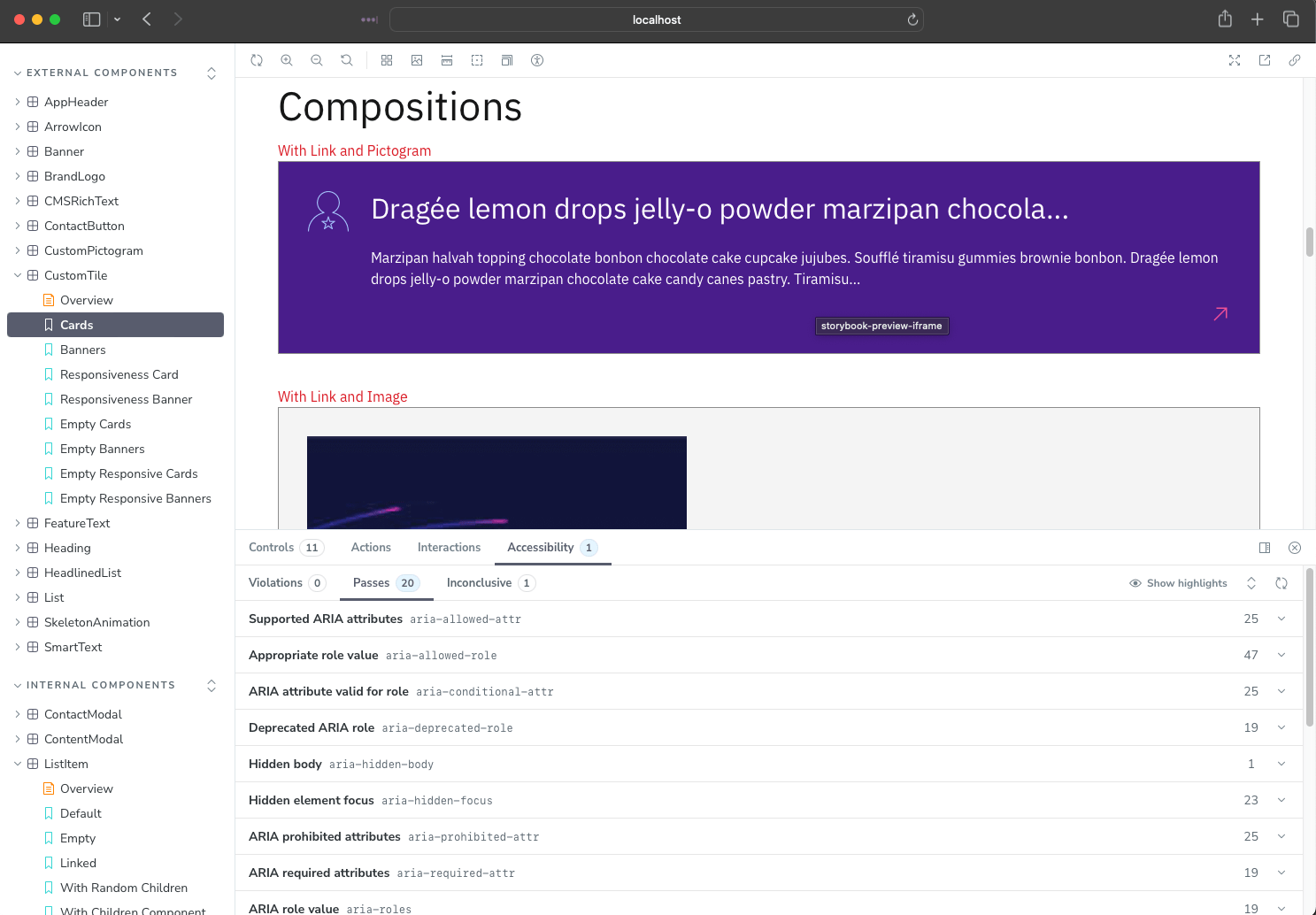
Storybook, combined with the built-in a11y addon, enabled me to test each component in isolation before integrating it into production pages.
This component-driven workflow helped catch accessibility regressions early and ensured that reusable UI components met compliance requirements at the source.
✨ Key Takeaways
When auditing a React component library for accessibility:
Start with an accessibility-first design system such as IBM Carbon.
Run Lighthouse audits on both desktop and mobile viewports.
Use WAVE to visually inspect semantic and ARIA issues.
Validate reusable components in Storybook with the a11y addon.
Treat automated tools as guardrails, while relying on engineering discipline to ensure compliance.
Accessibility is not about achieving a perfect score—it is about building digital experiences that everyone can use.